
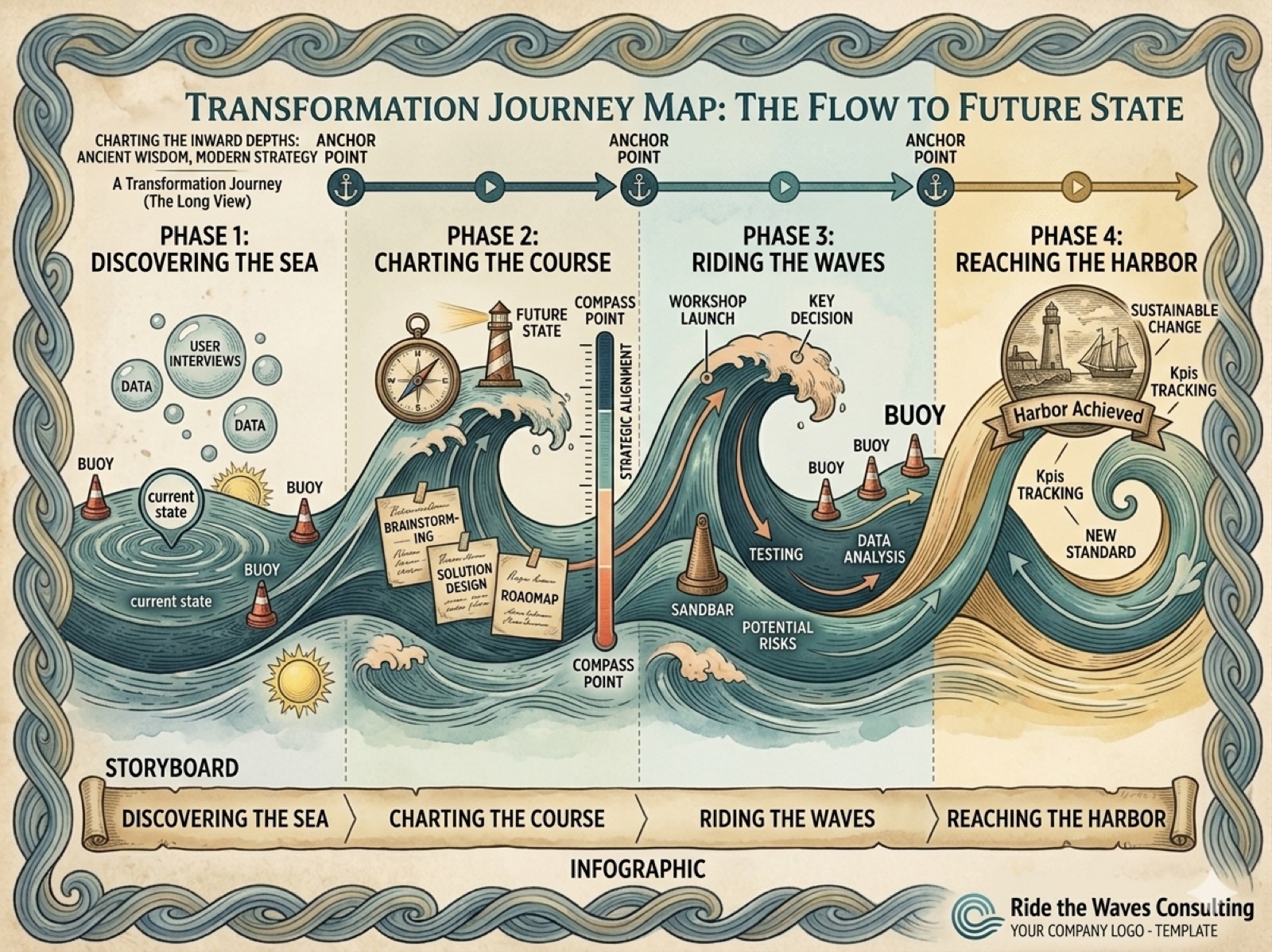
Change is a constant in any organization, and managing it well is the difference between a change that sticks and one that stalls. One of the most powerful tools in change management is the use of storymaps and visuals. These tools help teams visualize the journey of change, making it easier to understand, communicate, and implement. Here's how storymaps and visuals can help you lead change, with practical examples along the way.
Understanding Change Management
Change management refers to the structured approach to transitioning individuals, teams, and organizations from a current state to a desired future state. It involves preparing, supporting, and helping individuals to adopt change in order to drive organizational success.
The Importance of Change Management
Effective change management is essential for several reasons:
- Minimizes Resistance: By involving stakeholders early and often, organizations can reduce resistance to change.
- Enhances Communication: Clear communication helps ensure everyone understands the reasons for the change and their role in it.
- Increases Engagement: Engaging employees in the change process fosters a sense of ownership and commitment.
What Are Storymaps?
Storymaps are visual representations that outline the steps involved in a project or process. They help teams understand the user journey and the various touchpoints along the way. In the context of change management, storymaps can illustrate how changes will impact different stakeholders and processes.
Benefits of Using Storymaps
- Clarity: Storymaps provide a clear overview of the change process, making it easier for everyone to understand.
- Collaboration: They encourage collaboration among team members, as everyone can contribute to the map.
- Focus: Storymaps help teams stay focused on the end goal by visualizing the path to success.
Creating Effective Storymaps
Creating a storymap involves several key steps:
Step 1: Define the Scope
Before creating a storymap, it is essential to define the scope of the change. What are the objectives? Who will be affected? Understanding the scope will guide the development of the storymap.
Step 2: Identify Stakeholders
Identify all stakeholders involved in the change process. This includes employees, management, and any external parties. Understanding their needs and concerns will help shape the storymap.
Step 3: Outline the User Journey
Map out the user journey by identifying key touchpoints and interactions. This will help visualize how the change will affect different stakeholders at various stages.
Step 4: Visualize the Storymap
Use visuals to create the storymap. This can include diagrams, flowcharts, or other graphic representations. The goal is to make the information easy to take in.
Step 5: Review and Iterate
Once the storymap is created, gather feedback from stakeholders. This will help identify any gaps or areas for improvement. Iterating on the storymap ensures it remains relevant and useful throughout the change process.
The Role of Visuals in Change Management
Visuals play a key role in change management by simplifying complex information and making it more accessible. They can take various forms, including charts, infographics, and presentations.
Benefits of Using Visuals
- Enhances Understanding: Visuals can help clarify complex concepts and data, making them easier to understand.
- Improves Retention: People are more likely to remember information presented visually.
- Facilitates Communication: Visuals can bridge communication gaps, especially in diverse teams.
Types of Visuals to Use
When managing change, consider incorporating the following types of visuals:
Infographics
Infographics are a great way to present data and information in a visually appealing format. They can summarize key points, highlight statistics, and illustrate processes.
Flowcharts
Flowcharts can help visualize processes and decision-making paths. They are particularly useful for outlining the steps involved in implementing change.
Diagrams
Diagrams can illustrate relationships between different elements of the change process. They can help teams understand how various components interact.
Practical Examples of Storymaps and Visuals in Action
To illustrate the effectiveness of storymaps and visuals in change management, let’s look at a couple of practical examples.
Example 1: Implementing a New Software System
A company decided to implement a new software system to improve efficiency. They created a storymap that outlined the user journey from the initial training phase to full adoption. The storymap included:
- Training Sessions: Key touchpoints where employees would receive training on the new system.
- Feedback Loops: Opportunities for employees to provide feedback on their experience.
- Support Resources: Information on where to find help during the transition.
By visualizing the process, the company was able to identify potential pain points and address them proactively.
Example 2: Organizational Restructuring
During a major organizational restructuring, a company used visuals to communicate the changes to employees. They created:
- Infographics: Summarizing the new organizational structure and reporting lines.
- Flowcharts: Outlining the steps involved in the transition process.
These visuals helped employees understand the changes and their implications, reducing anxiety and resistance.
Best Practices for Using Storymaps and Visuals
To maximize the effectiveness of storymaps and visuals in change management, consider the following best practices:
Keep It Simple
Avoid cluttering visuals with too much information. Focus on the key points that need to be communicated.
Use Consistent Design
Maintain a consistent design throughout your visuals. This includes color schemes, fonts, and layout. Consistency helps reinforce the message.
Engage Stakeholders
Involve stakeholders in the creation of storymaps and visuals. Their input can provide valuable insights and increase buy-in.
Update Regularly
As the change process evolves, ensure that storymaps and visuals are updated accordingly. This keeps everyone informed and aligned.
Conclusion
Mastering change management through effective storymaps and visuals is a powerful strategy for organizations. By clearly visualizing the change process, teams can enhance understanding, improve communication, and foster engagement. As you lead your next change, use these tools to guide your organization toward success.
Start with one storymap of the change you're leading, and see how quickly people find themselves on it.